
Compact loader visualization
Compact Loader 3D Modeling and Product Visualization — PROFI
3D modeling and visualization of heavy equipment
Project brief
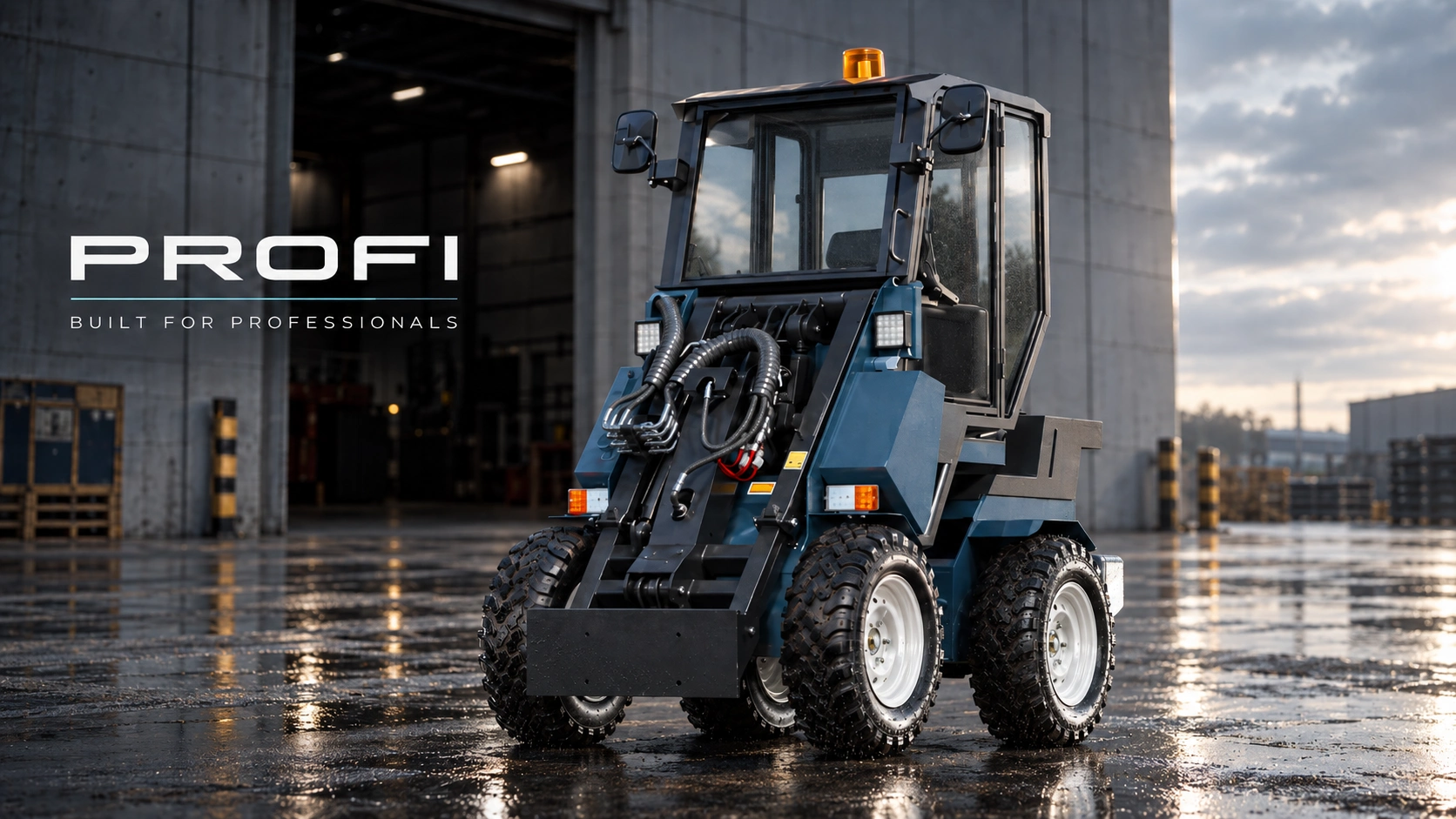
Compact loader 3D modeling and product visualization for PROFI. The digital model presents the machine design, construction and attachment system for websites, catalogs, presentations and future interactive product tools.
The client problem
The larger the product range, the harder it is to keep its presentation complete, consistent and up to date.
- The product changes faster than the content A new cabin, attachment or design update can make a recently completed photo shoot obsolete within a week.
- Every update means another photo shoot The photographer, equipment, location and preparation have to be arranged again, even when only one component has changed.
- The visual style falls apart Repeating the same angle, light, weather and environment is difficult. Images from different shoots stop looking like one product line on the website.
- Configurations are explained manually The manager sends dozens of photos, PDFs and price lists, then explains the differences by phone while the buyer tries to assemble the machine in their imagination.
My solution
A single accurate 3D model becomes the source for all product visuals and an interactive sales tool.
- One 3D base instead of repeated shoots The machine is created once. When the design changes, only the updated component is corrected — there is no need to shoot the entire product again.
- Updated images in the same style New angles and versions retain the approved camera, lighting, materials and environment, so the catalog and website remain visually consistent.
- One configurator instead of dozens of pages The buyer selects the cabin, attachments and options directly on the website, sees the finished machine and watches the price change in real time.
- A complete request goes directly to the CRM The manager receives the exact configuration, selected options, total price and customer contacts — ready to prepare an offer without repeated clarification.
I deliver the entire system: from the accurate 3D model and product visuals to the interactive configurator and CRM-ready request.
More than finished images
A reusable 3D product system for future updates and new marketing content.
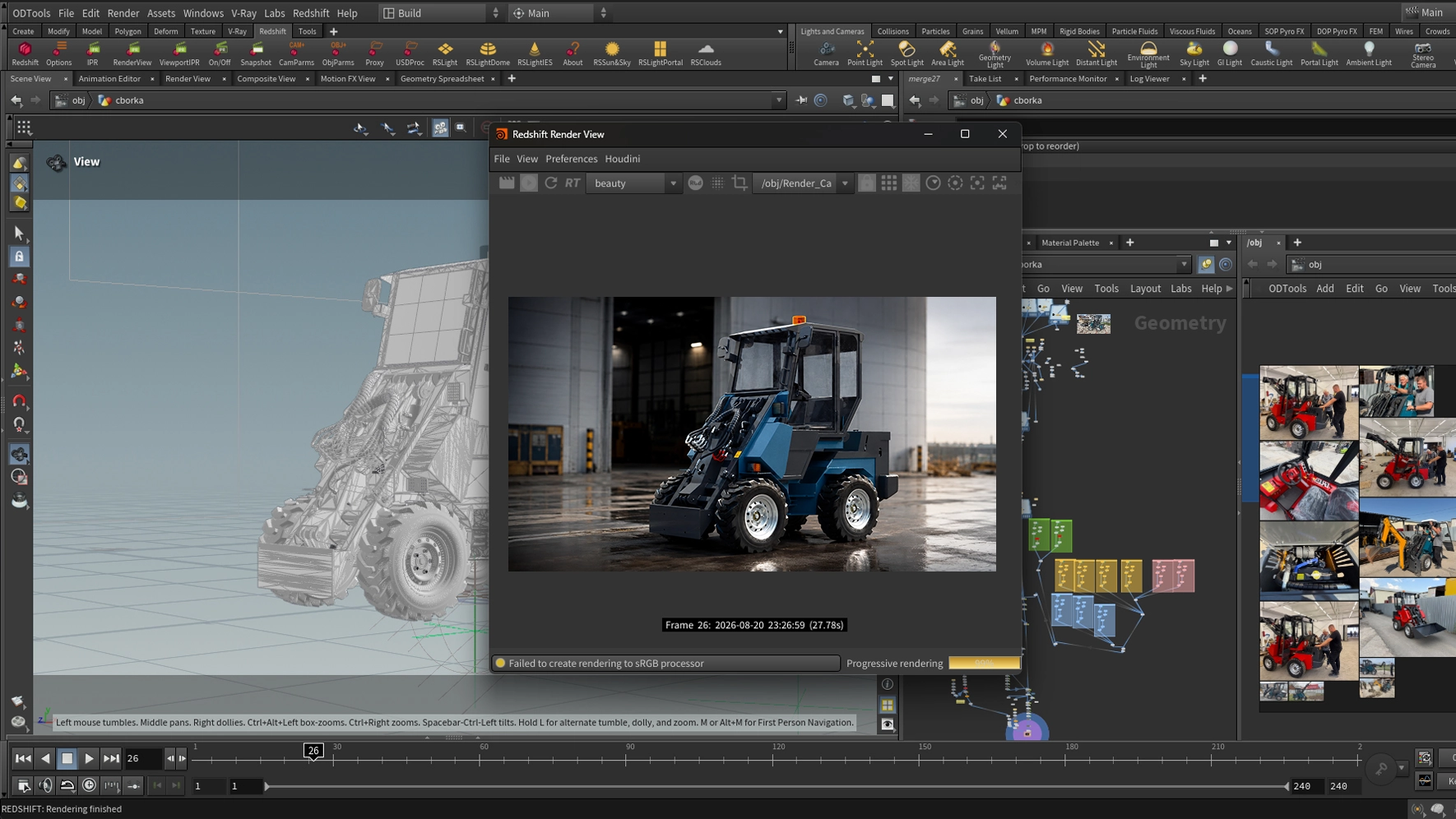
Along with the photorealistic images, the client received a STEP model for further engineering use and the complete production scene with materials, lighting, cameras and render settings. When the loader changes, the team does not need to rebuild the presentation from scratch: the source model is updated once, and the same scene produces a new set of consistent, market-ready visuals.
There is no need to transport the loader back to a hangar, rebuild the lighting setup or hire a photographer again.
A new component, color or configuration is added to the source model and rendered in the already approved visual system.
Any angle, environment, animation, catalog image or configurator state can be created while maintaining photorealistic quality.
A controlled workflow instead of destructive edits
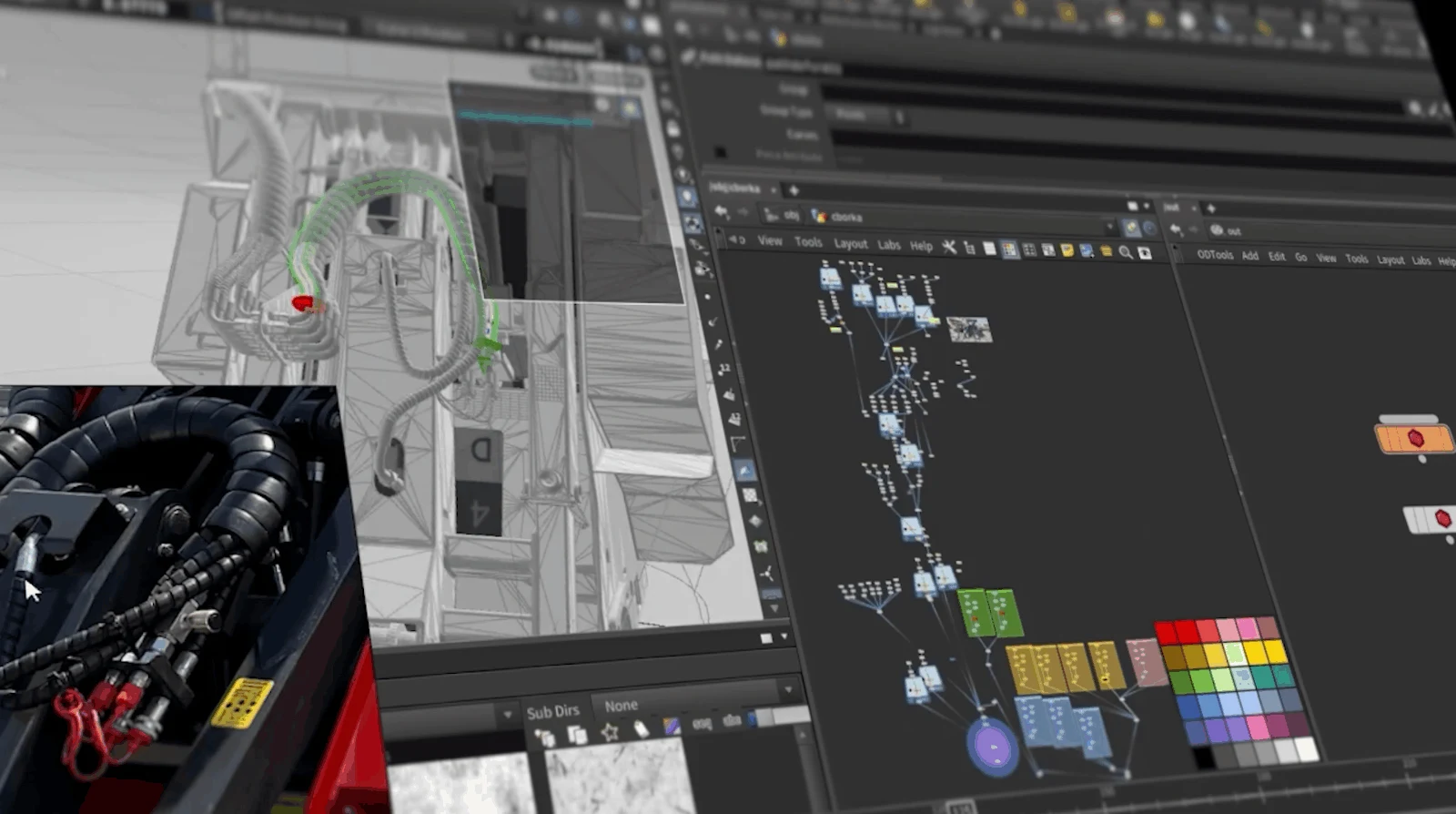
The complete work history always remains in front of me.
I use a procedural approach: every stage of the model is preserved in a clear node structure and can be adjusted without rebuilding the project from the beginning. This speeds up production, makes changes safer and helps create new product versions and marketing materials faster. The complete creation process can be watched in the video below.
The weld modeling process
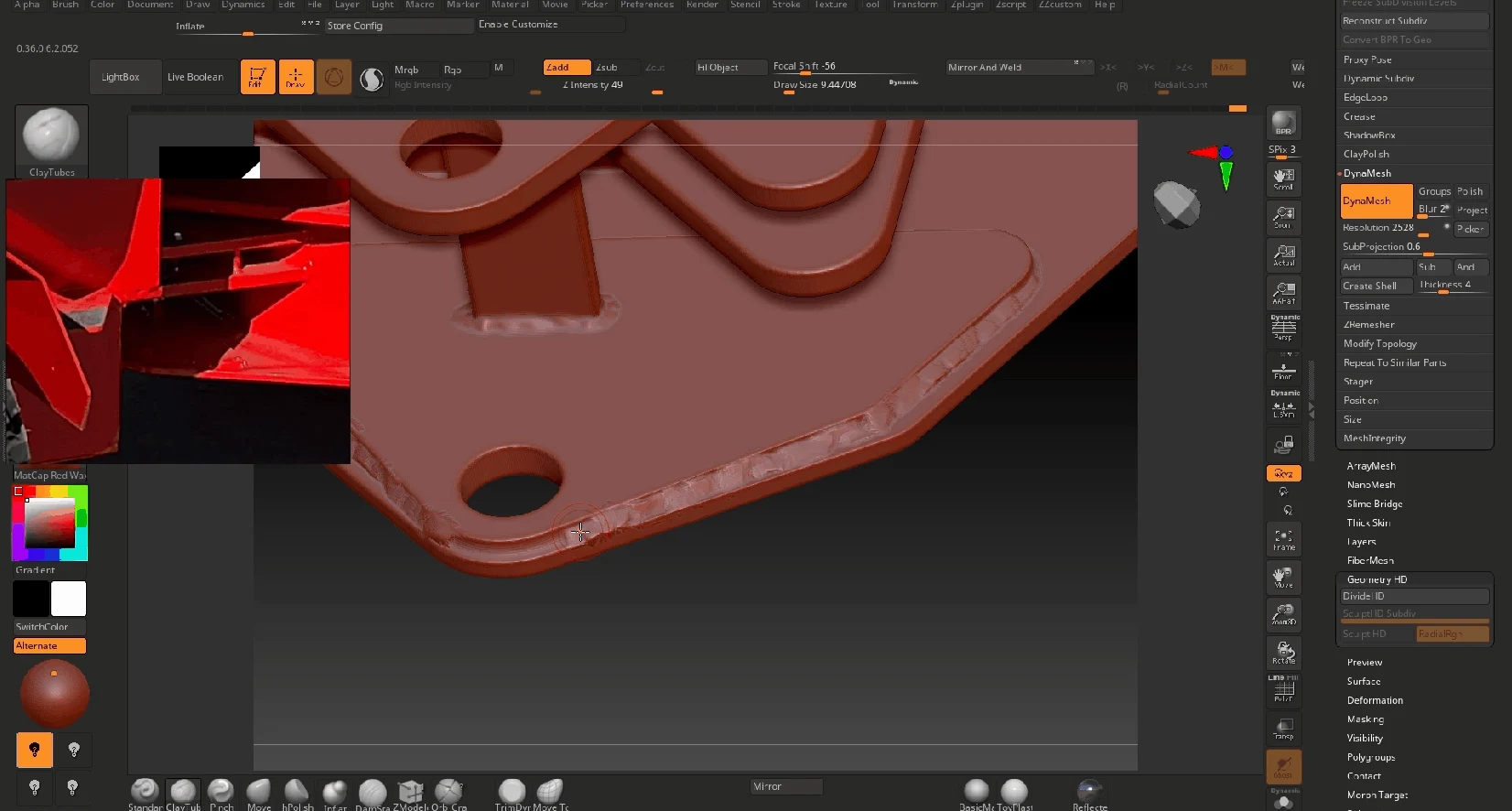
Every weld was added where the real body construction requires it.
The animation shows the manual modeling stage: the reference is checked, the weld bead is shaped along the joint and then integrated into the finished body. This separate stage prevents the model from looking sterile and communicates how the machine is actually manufactured.
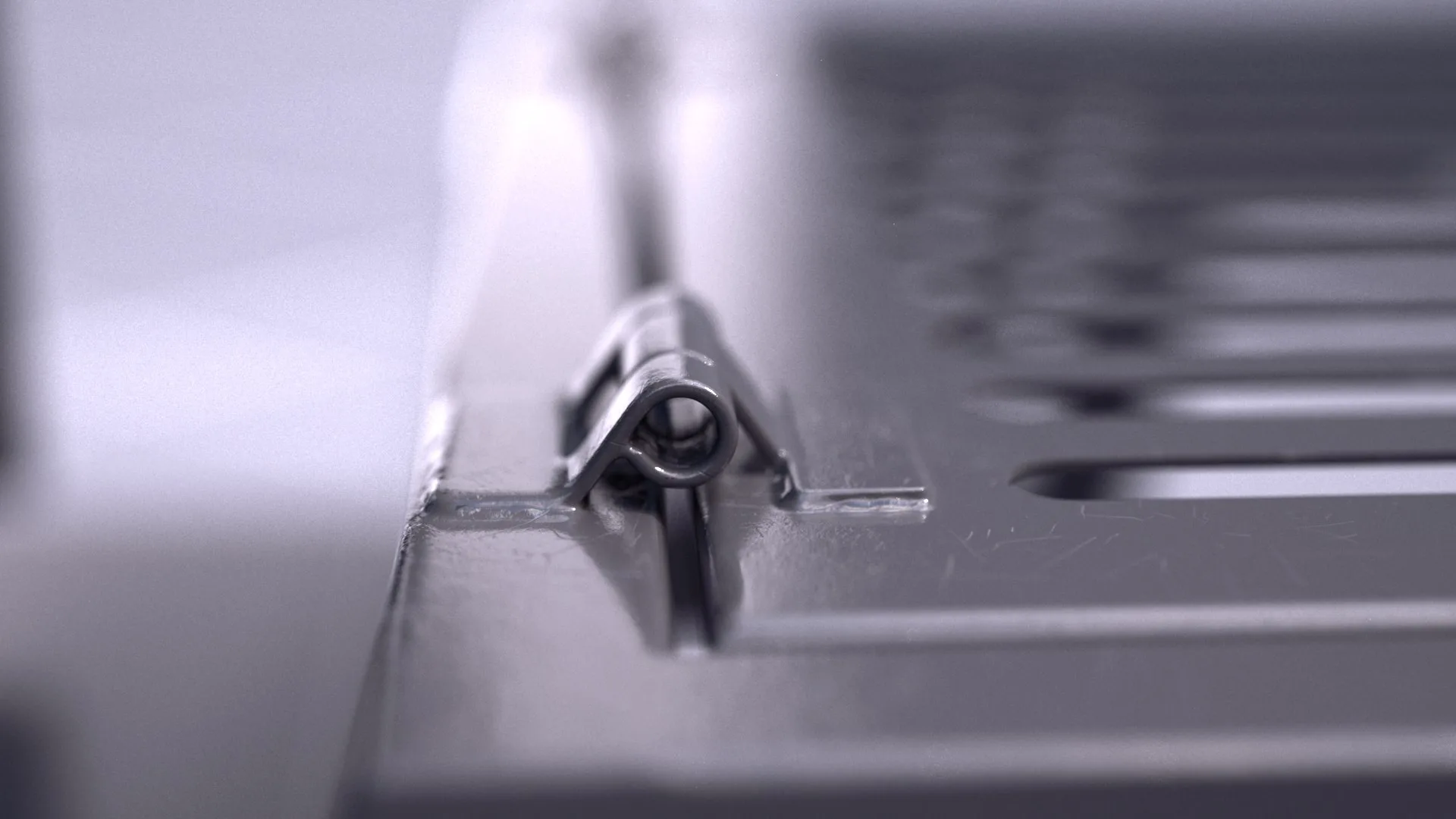
Welded body and realistic materials
The entire body was welded, not left as perfectly clean computer geometry.
Weld beads were modeled along the body joints and attachment points to preserve the character of real production. The surfaces received separate metal, paint, glass, rubber and wear treatments, so light behaves naturally and the loader retains an industrial, manufactured feel in every close-up.
Attention to details
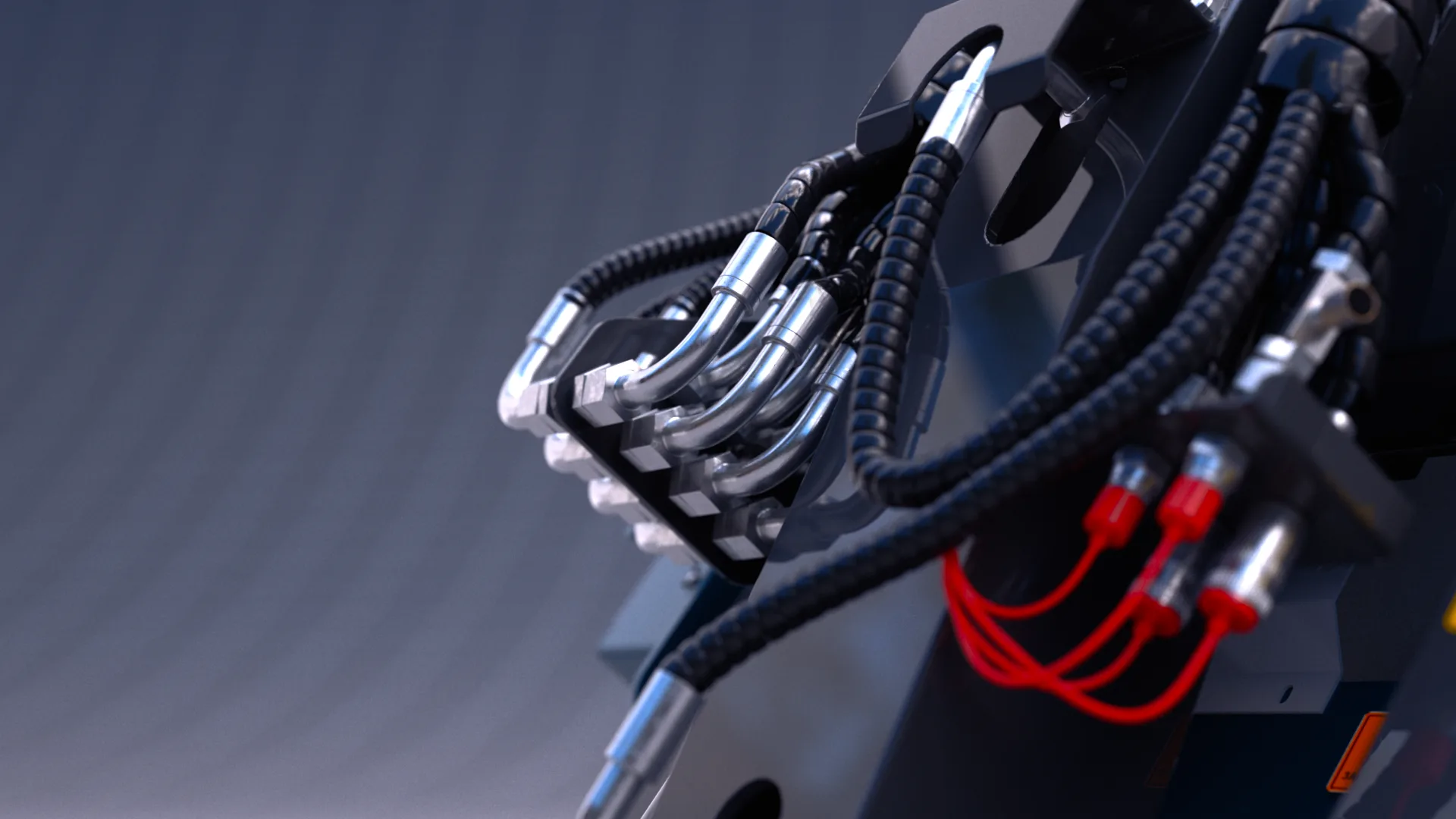
I always work through the smallest elements as far as the project allows.
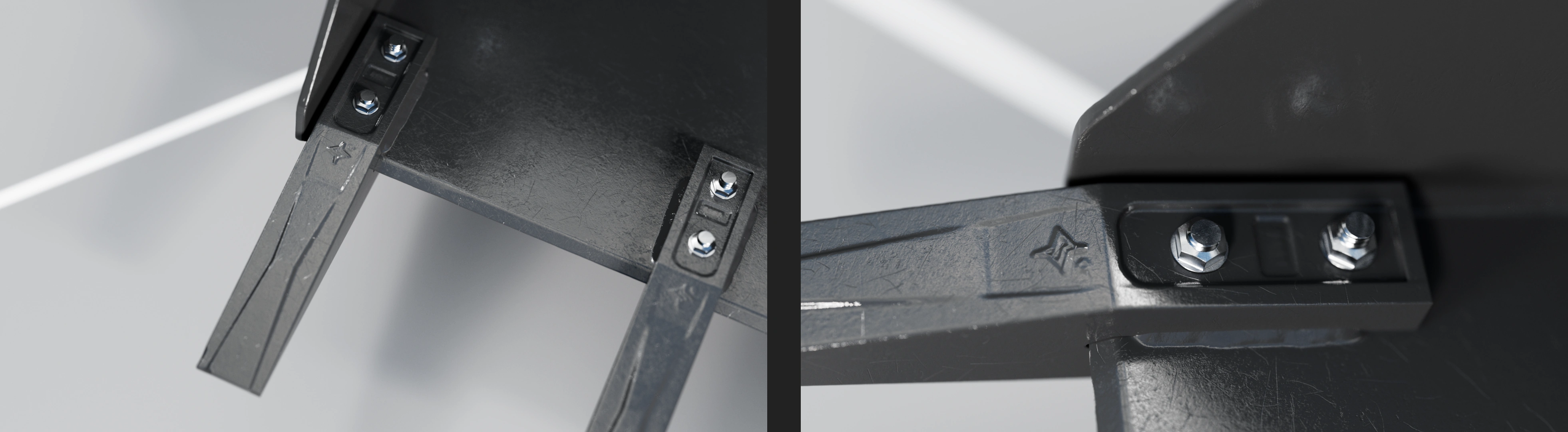
Hydraulic pipes, fittings, protective sleeves, electrical connectors, fasteners and cable routing were treated as important parts of the product rather than background geometry. These details create scale, explain how the machine is assembled and make the final visualization believable.
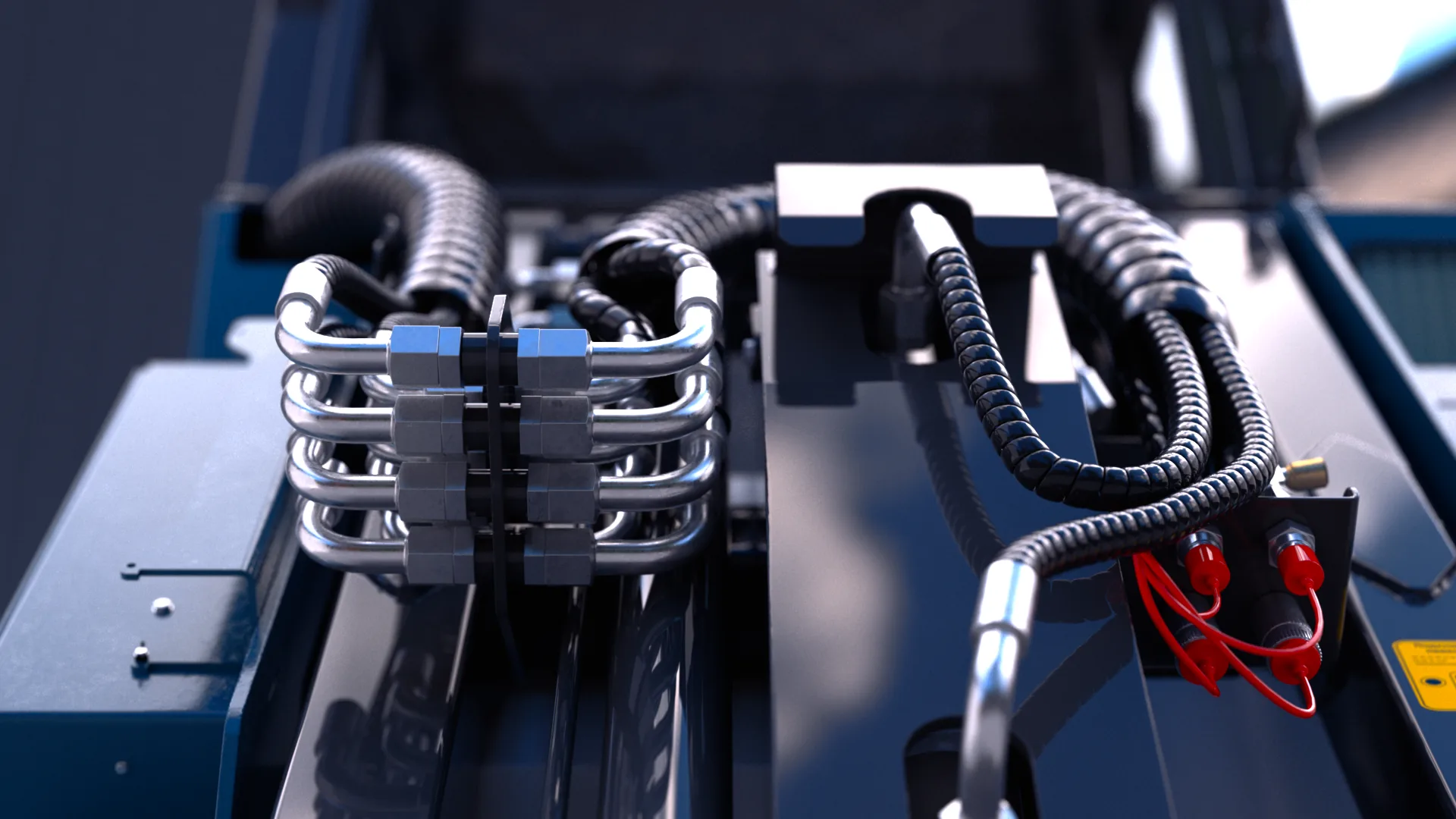
Every connection matters
Connections, hose routing and cable placement were developed as separate design elements.
The front view shows how the metal pipes, fittings, protective sleeves and electrical connectors work together. Accurate spacing and routing make the assembly readable and preserve the scale and credibility of the real machine.
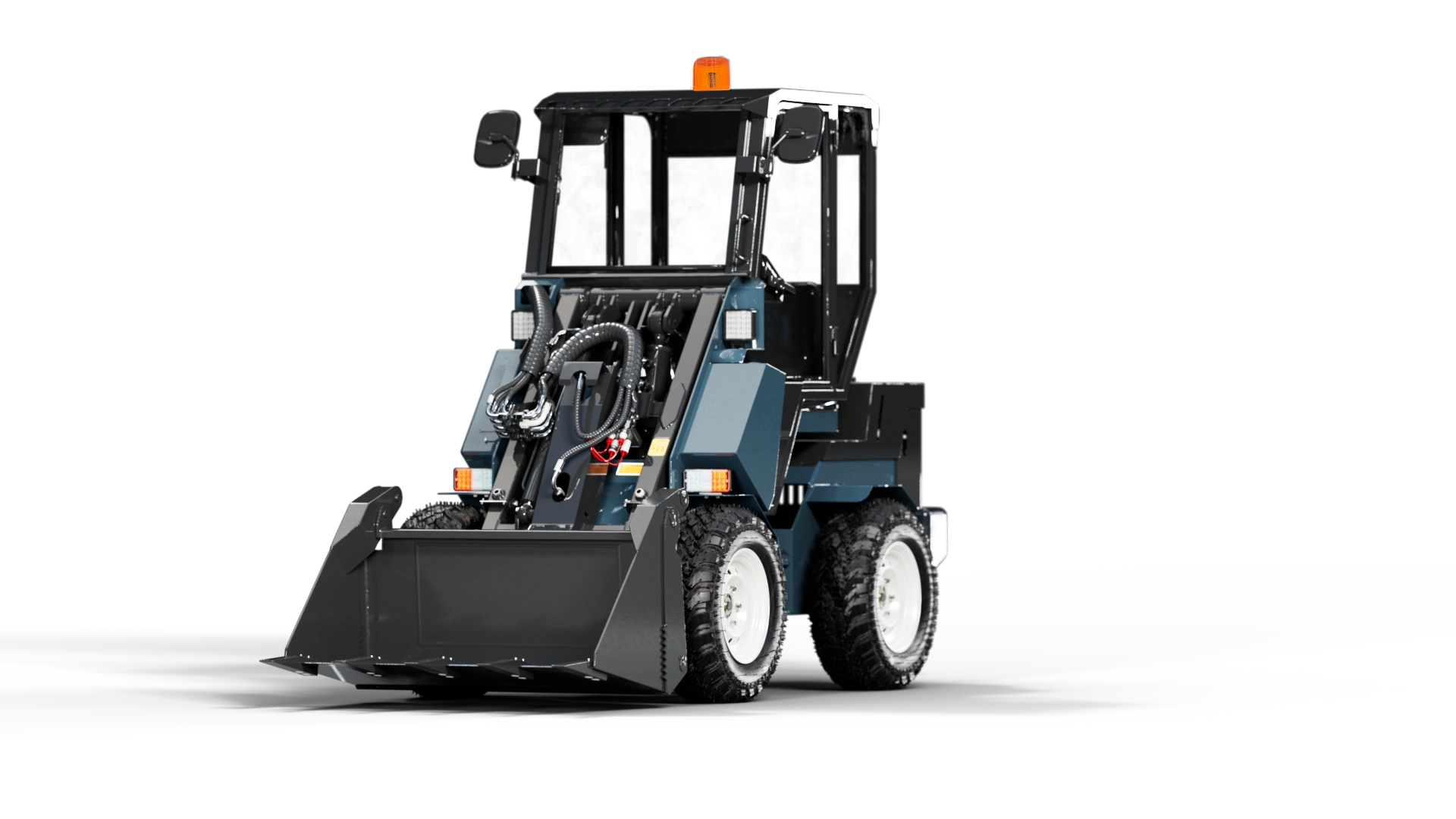
Visualization prepared for the website
A clean website image without an environment or cast shadow.
For this project, the loader was rendered on a clean black field that matches the website design, without scenery, floor or a cast shadow. The machine remains the only visual focus, so the image works clearly in a product section, catalog layout or presentation.
The bucket, down to the finest detail
The bucket was modeled down to its teeth, fasteners, bolts and joint geometry. Weld seams, metal texture and wear marks were added so the construction remains convincing even in close-up.
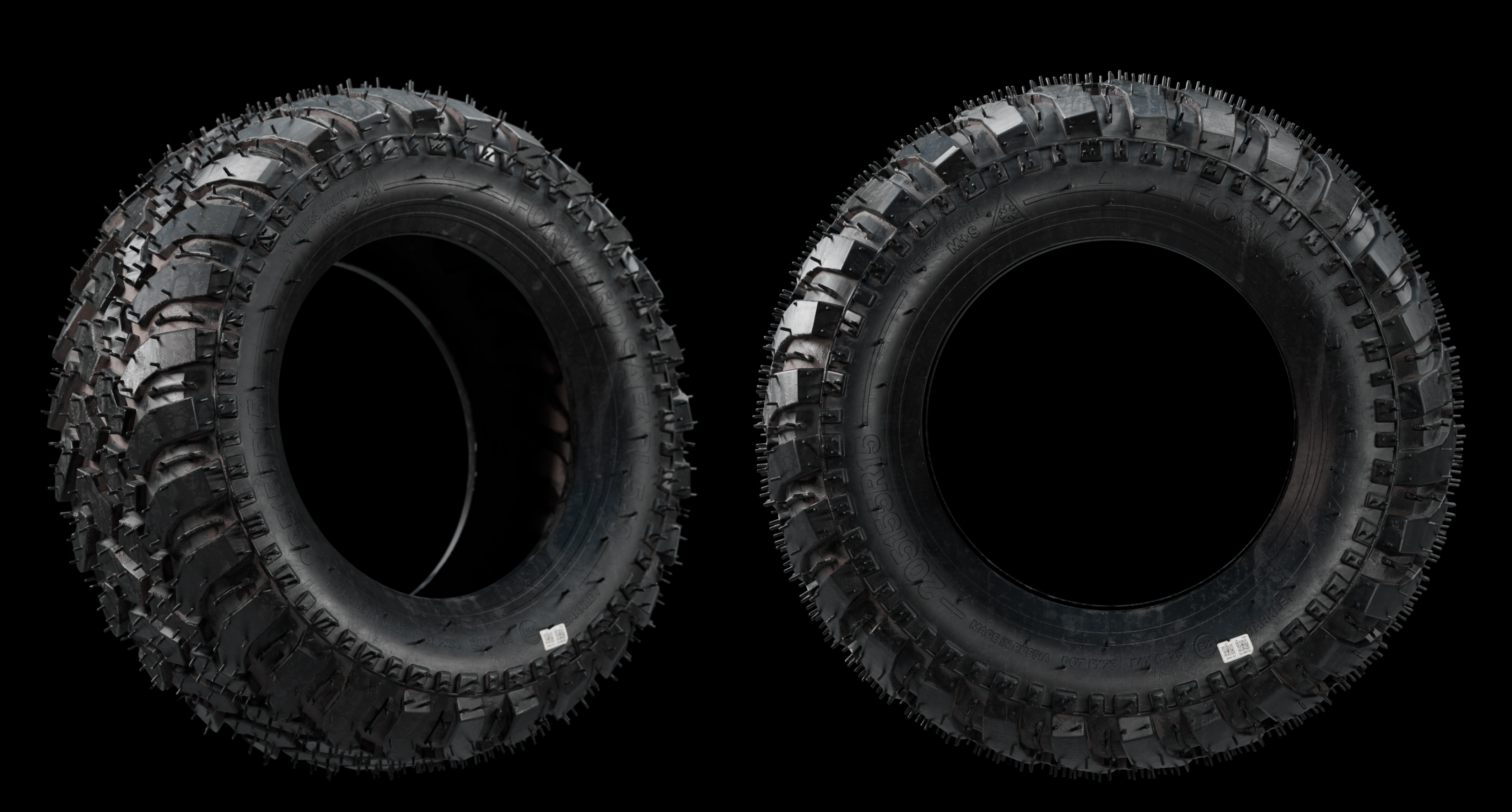
Tread, texture and the smallest details
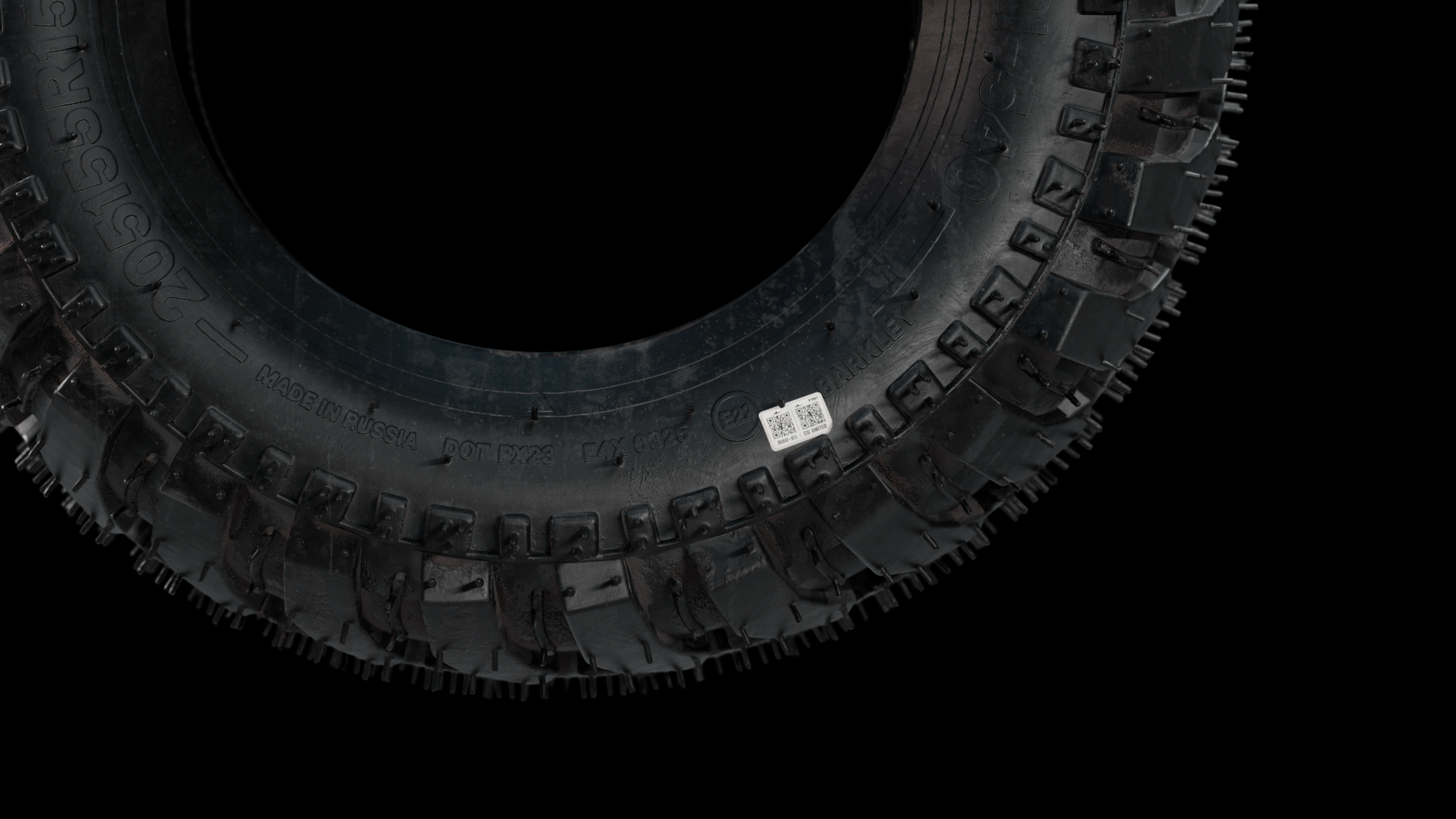
This tire was created as part of the PROFI loader model. Individual tread blocks, sidewall lettering, fine rubber whiskers and the label were detailed for close-up views. Below are two tire angles and a detailed view of its surface.
PROFI / Tire detail
A custom tire. Down to the smallest detail.
This tire was modeled and textured specifically for the client. Every fine rubber whisker was individually crafted by hand, giving close-up views the same attention as the complete loader.
Even the tire sticker was recreated as part of the texture work.
Watch on YouTubeFrom the first tread blocks to the finished tire
I decided to share a few moments from creating the second tire for the PROFI model configurator: the first steps using photo references and the final result. This is a separate tire option with its own tread pattern, sidewall shape and surface character.
01The beginning
Photographs guide the shape and proportions. The first tread blocks take shape on the basic wheel, gradually forming the pattern of the new tire.
02The final result
The finished tire features a detailed tread, sidewall and rubber texture. The close-up reveals the details that distinguish this second tire option for the PROFI configurator.
From engineering references to the final marketing visualization
Watch the complete loader creation process.
The video brings together the key production stages: construction modeling, welded joints, hydraulic details, materials, lighting and final rendering. It shows how an engineering model becomes a reusable visual asset for a website, catalogs, animation and future product versions.
Open on YouTube ↗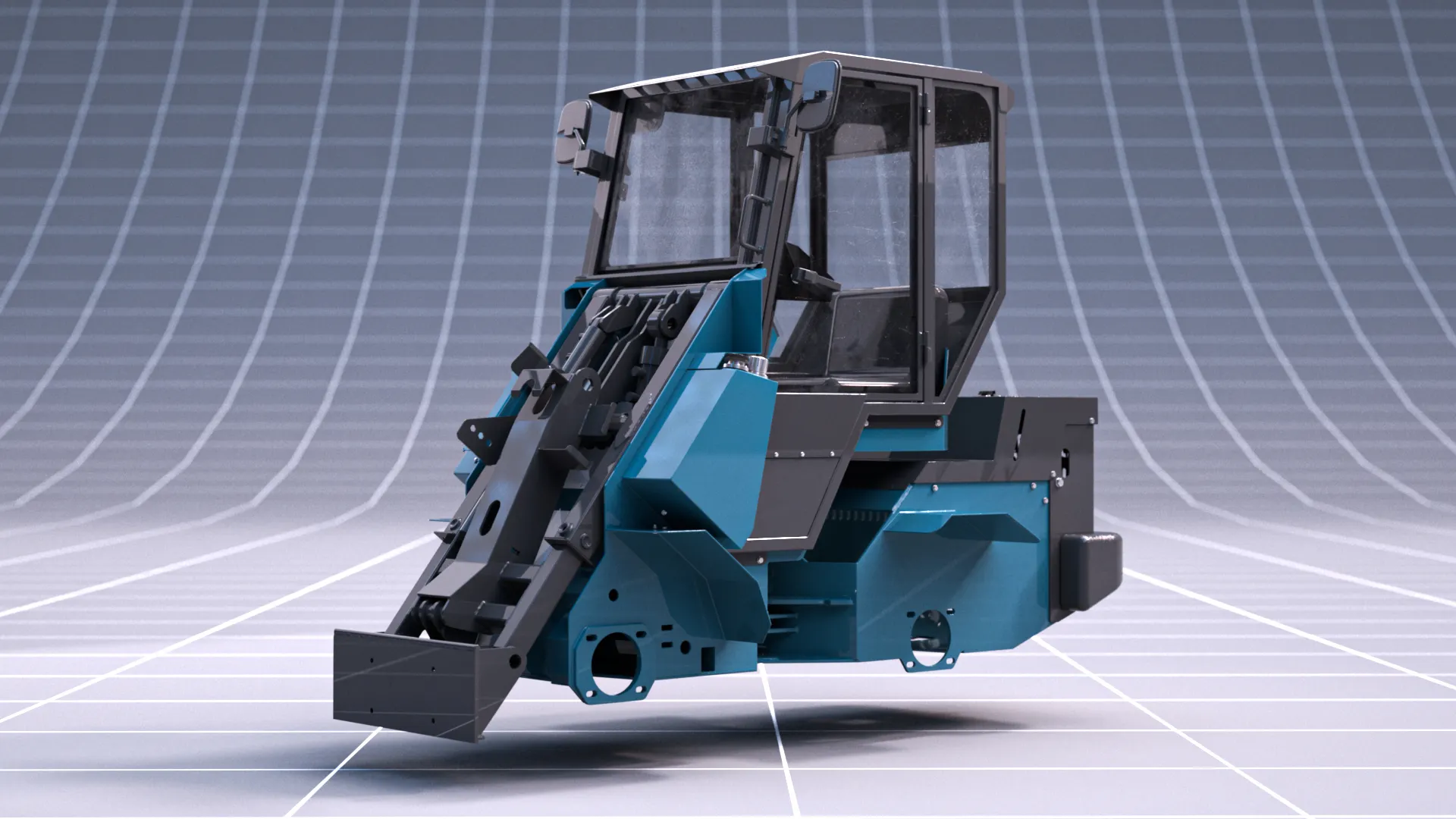 360° viewer with interactive configurations
 Completed 360° viewer · interactive configurations
A 360° viewer with interactive configurations was created for PROFI
As part of the project, a 360° viewer with interactive configurations was created. Buyers can rotate the loader, change the body color and try different attachments directly on the website. Dealers can present complete configurations, compare options faster and approve the right machine without a separate photo shoot for every version.
- 360° product view
- Selectable colors
- Attachments and options
What was delivered
A reusable visual system, not a single image.
Detailed PROFI loader 3D model
The complete loader body was modeled with welded joints, cab elements, hydraulics and mounting geometry for attachments.
Photorealistic product visualization
Separate materials were created for paint, exposed metal, glass, rubber, fasteners and working surfaces to preserve realism in close-up.
Technical and presentation views
Technical and marketing camera angles show the machine construction clearly while keeping a strong product presentation.
Reusable asset for web and catalogs
A clean website-ready render without environment or cast shadow was prepared alongside reusable assets for catalogs and future updates.
Result for the client
One accurate PROFI loader model for every product presentation task.
The finished PROFI loader model provides a reusable visual foundation for product pages, dealer materials, printed and digital catalogs, new color variants, attachment presentations and future interactive 360° or configurator content.
Change only what changed
Update one part without rebuilding every approved visual.
No repeat photo shoot
Create new angles, colors and versions without moving equipment.
One consistent style
Keep the same light, materials and quality across every channel.
Ready for every sales format
Use one model for images, animation, 360° and configurators.
Personal review and estimate
Show us how your product is presented — we will suggest how to strengthen it
We will review your website and current materials, provide specific recommendations, propose solution options and calculate the cost.