
Heavy equipment visualization
Tracked Skid Steer Loader 3D Visualization — MAKSTEM MAX 450
Photoreal 3D model and technical animation
Project brief
A tracked skid steer loader 3D visualization project built from engineering references: accurate geometry, realistic industrial materials, controlled lighting and animation for product pages, catalogs, dealer presentations and interactive viewers.
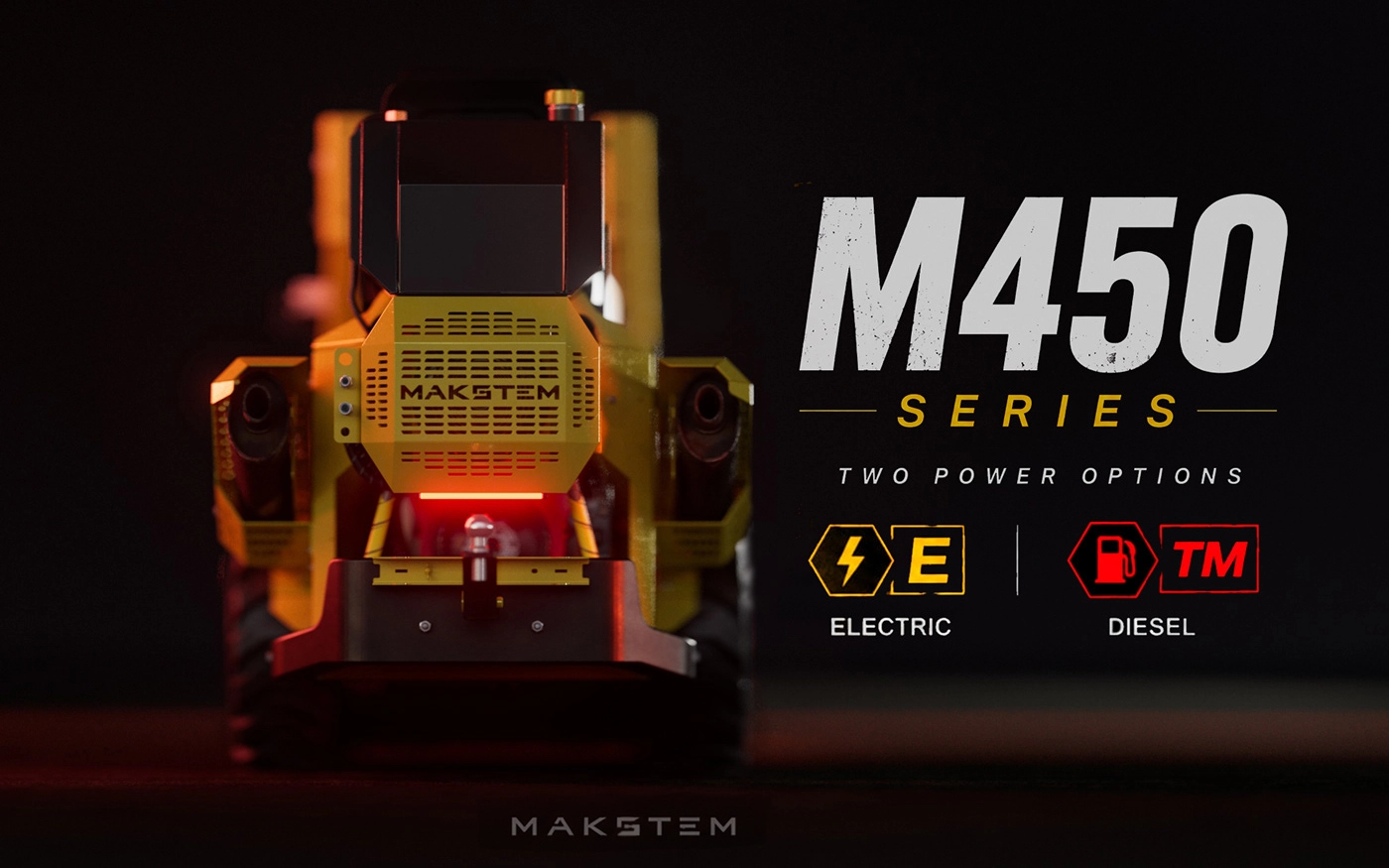
The client problem
Explaining the differences between configurations, equipment and prices required dozens of images, PDF catalogs and separate clarifications. The buyer had to compare fragmented materials and still imagine the final machine, while the sales manager repeatedly answered the same questions and manually clarified the specification.
My solution
We created an interactive configurator that visualizes every option and recalculates the price automatically. The buyer assembles the machine on screen, immediately sees the selected equipment, the differences between alternatives and the current total. Once the choice is complete, the sales manager receives a clear, ready-to-process request with the exact configuration — without lengthy correspondence or manual decoding.
Simulation creation

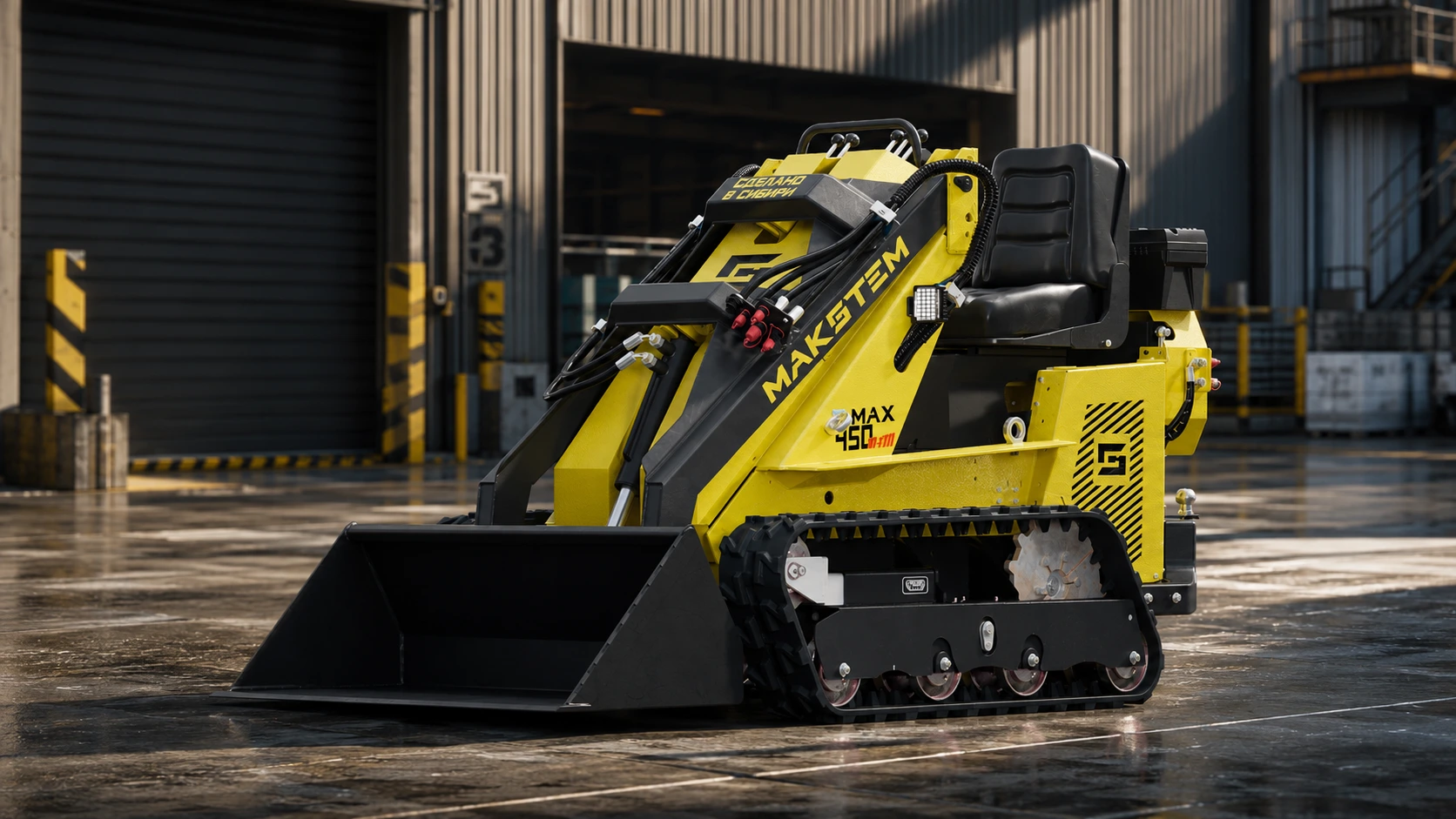
Photorealistic product presentation
The loader shown as a finished machine in a real industrial setting.
The second image focuses on the finished MAX 450: detailed tracks and hydraulics, realistic paint, metal and rubber, and lighting integrated into a production environment. The result works as a strong product image for the website, catalogs and sales presentations.
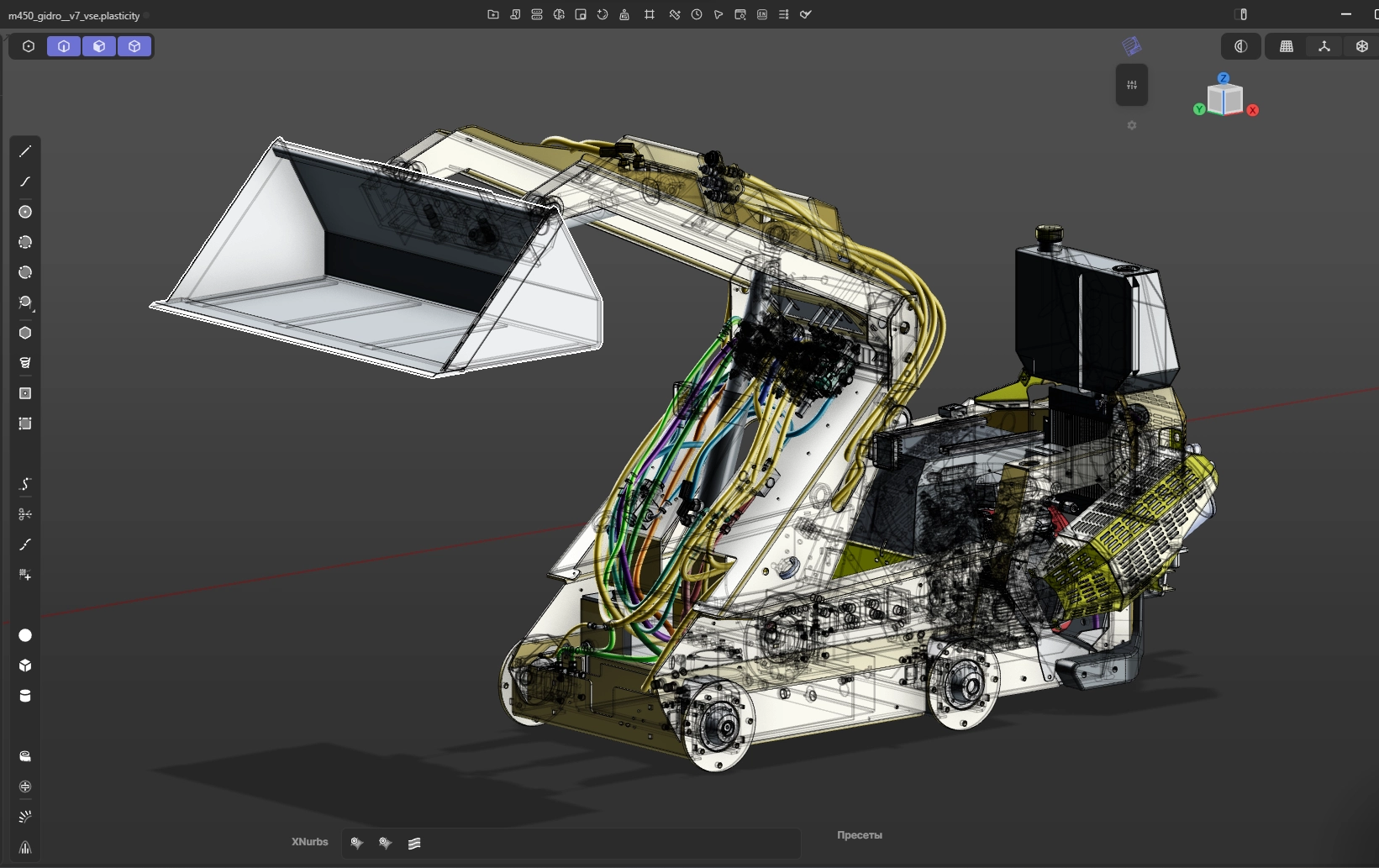
Hydraulic system visualization
Detailed internal modeling for hydraulic system visualization.
To visualize the hydraulic system in operation, every internal loader component was modeled in detail: hydraulic cylinders, high-pressure hoses, fittings, control valves, mountings and moving assemblies. This accurate 3D foundation makes it possible to show circuit routing, motion sequence and force transfer to the boom and bucket clearly, without overloaded technical drawings.
Put heavy machinery inside the buyer’s screen.
The loader can be explored from the bucket to the rear compartment without transporting the machine, preparing a photo location or asking the factory to park it at the perfect angle. The same format works for construction, agricultural and special-purpose machinery.
* The visualization has been slightly simplified to reduce rendering time.
MAKSTEM / PROJECT DETAILS
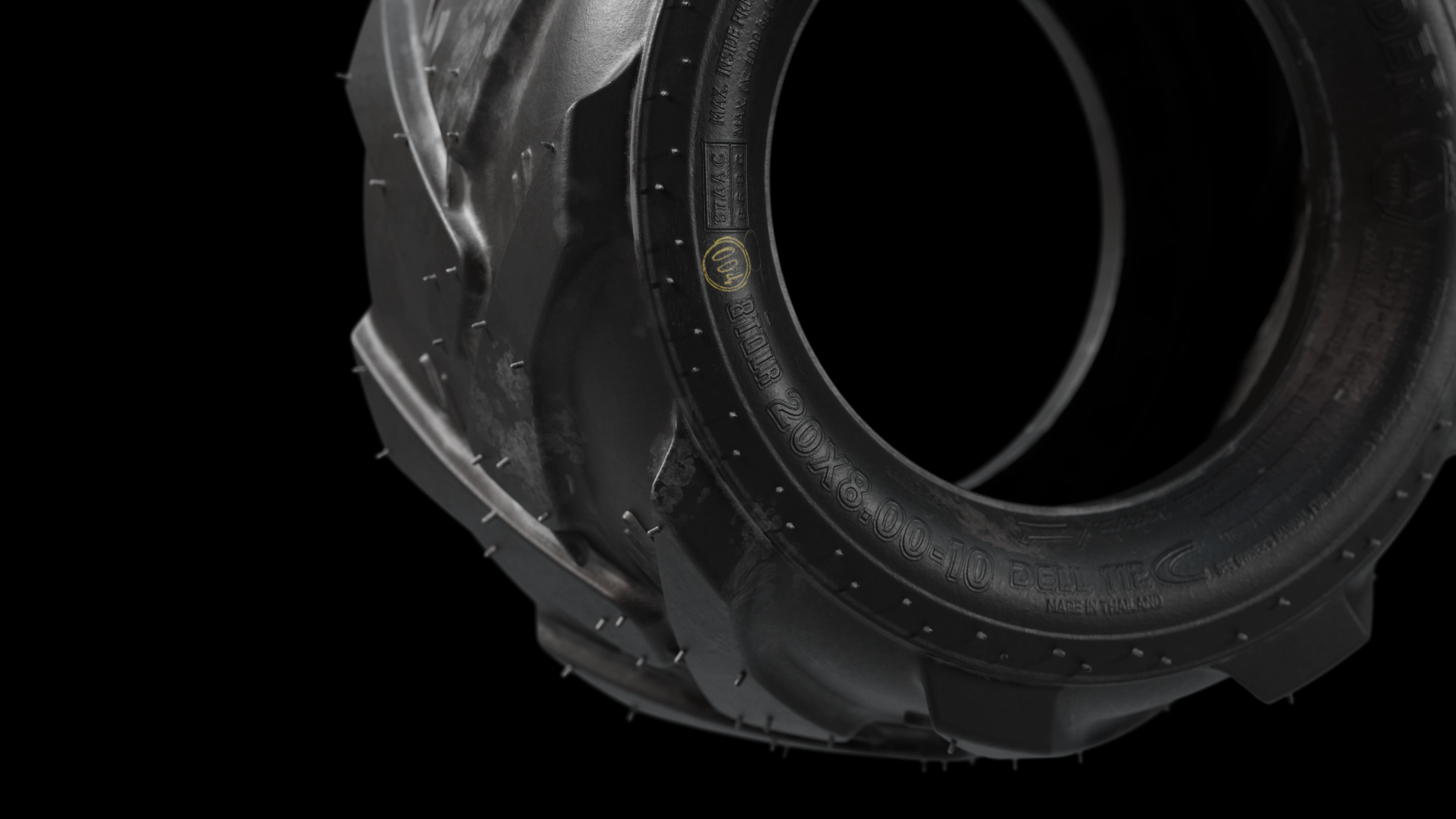
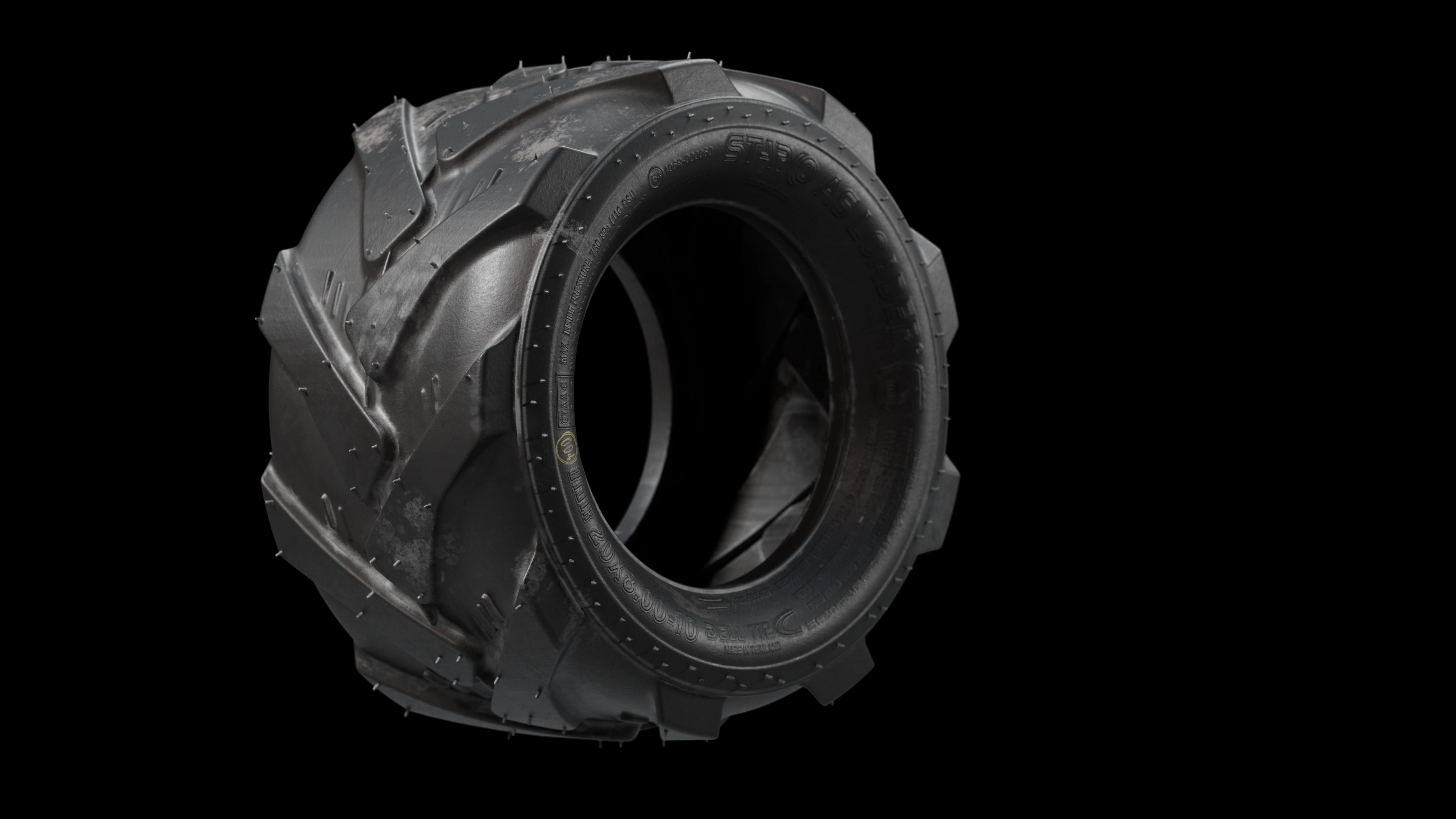
A wheel created for the project
For this project, I created a dedicated 3D tire model, developing the tread pattern, sidewall, lettering and rubber texture. These two views show the overall form and the fine details that matter in close-up visualization.
This section shows the difference between the basic tire on the model in the 360° viewer above and the detailed tire in the images below. The basic version conveys the overall shape; the refined version adds lettering, rubber texture and fine details that are especially visible in close-ups.
Creating the wheel took 2 hours and 30 minutes.
Do not make the buyer assemble the product in their imagination.
Options shown separately
Models, wheels, cabins, attachments and specifications live on different pages. The buyer has to imagine how they work together.
One clear system
Every compatible choice is assembled in one interactive space and immediately shown on the actual product.
Let the customer assemble the equipment.
Instead of comparing option names in catalogs, the buyer sees the finished machine, changes it in real time and sends the exact configuration to the sales team.
Fewer “what will it look like?” questions — more configurations ready to quote.
Interactive sales tool
Choose the equipment, see the price and send the exact configuration.
A product configurator was created for the loader: the buyer can compare attachments visually, assemble the required package and receive an up-to-date calculation. The selected options and contact details are sent directly to the CRM, so the manager receives a structured request and can move straight to the offer instead of clarifying the configuration manually.
Attachments and options are easier to compare.
The price changes together with the configuration.
The manager receives the exact set selected by the client.
Contacts and configuration arrive in one structured request.
Now try the product, not its description.
Open the adapted demonstration of the implemented customer configurator for MAX 450.
OPEN CONFIGURATOR →What was delivered
A reusable visual system, not a single image.
Detailed loader 3D model
The body, tracks, hydraulics and attachment geometry were rebuilt from engineering references as one accurate master asset.
Photorealistic product renders
Product images were rendered with controlled light and physically based metal, paint, glass and rubber materials.
Technical close-up views
Close-ups explain the undercarriage, hydraulic components and functional construction without disassembling the real machine.
Motion and campaign assets
The approved model was prepared for animation, dealer presentations, campaigns, 360° viewing and future configurations.
Result for the client
One digital loader model for every product communication task.
The completed MAX 450 model is a reusable visual foundation for the product page, dealer presentations, printed and digital catalogs, campaign animation and a future online configurator. Once the master asset is approved, new angles, colors and equipment variants can be produced without transporting the machine or organizing another full photo shoot.
Change only what changed
Update one part without rebuilding every approved visual.
No repeat photo shoot
Create new angles, colors and versions without moving equipment.
One consistent style
Keep the same light, materials and quality across every channel.
Ready for every sales format
Use one model for images, animation, 360° and configurators.
Personal review and estimate
Show us how your product is presented — we will suggest how to strengthen it
We will review your website and current materials, provide specific recommendations, propose solution options and calculate the cost.